Magnetické moduly
Moduly se pokládají na sebe a drží magnety. Napájení i data se propojí samy, bez kabelů a pájení.
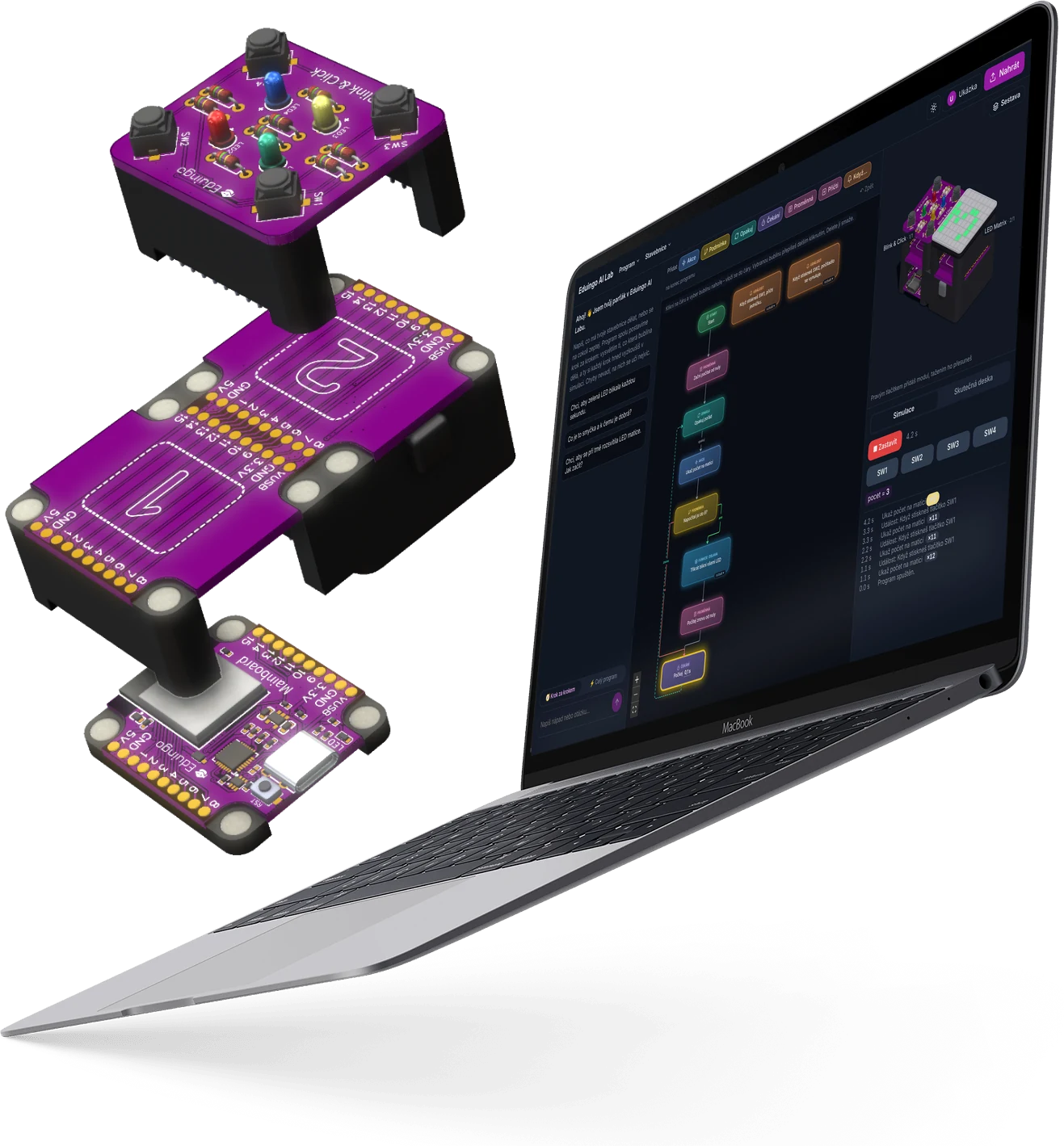
Moduly se pokládají na sebe a drží magnety. Napájení i data se propojí samy, bez kabelů a pájení.
Žák vlastními slovy popíše, co má stavebnice dělat. AI z toho nakreslí vývojový diagram a vysvětlí, proč funguje.
Program si žák vyzkouší v simulaci a jedním tlačítkem ho nahraje do stavebnice přes USB nebo Bluetooth.
Stavebnice
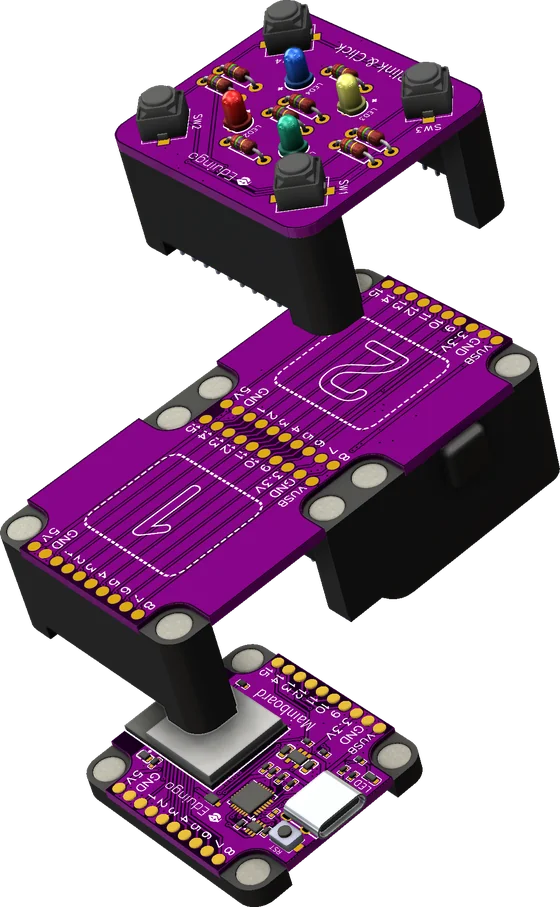
Základem je Mainboard s čipem ESP32-S3. Na něj se moduly stohují do věže a každý přidá jednu funkci: světla, displej, tlačítka, senzory nebo motory.
 EDU01
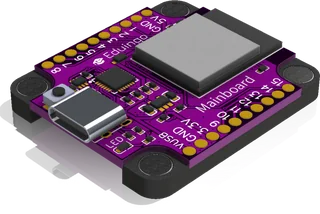
EDU01
Mozek stavebnice s Wi-Fi a Bluetooth
 EDU02
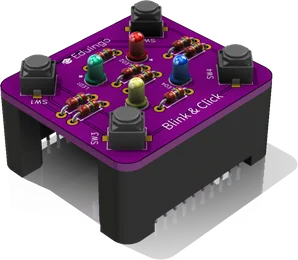
EDU02
Čtyři barevné LED a čtyři tlačítka
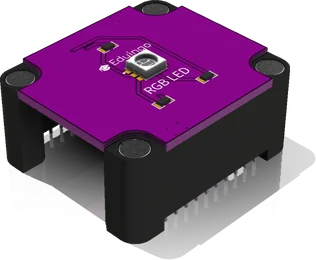 EDU03
EDU03
Dioda, která svítí libovolnou barvou
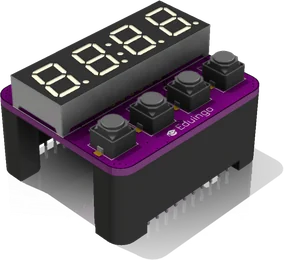 EDU04
EDU04
Čtyřmístný displej na čísla a čas
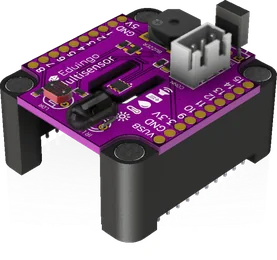 EDU05
EDU05
Čidlo světla a plamene, bzučák a infra
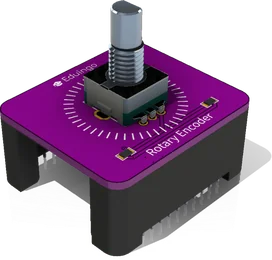 EDU06
EDU06
Otočný ovladač s tlačítkem
 EDU07
EDU07
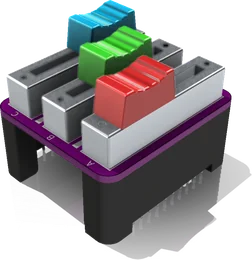
Tři posuvné potenciometry
 EDU08
EDU08
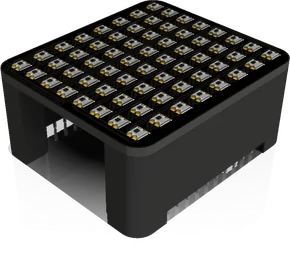
Barevná LED matice 8 × 8 bodů
 EDU10
EDU10
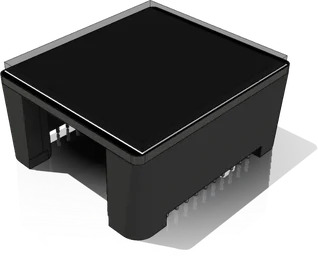
Displej na text, čísla a kreslení
 EDU11
EDU11
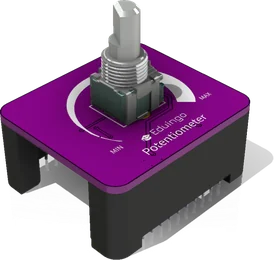
Otočný knoflík od 0 do 100 %
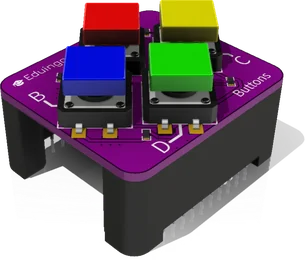 EDU12
EDU12
Čtyři barevná tlačítka
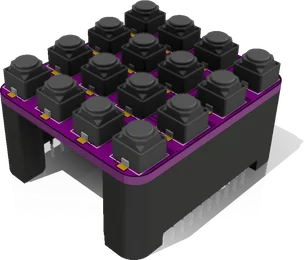 EDU18
EDU18
Klávesnice se 16 klávesami
V AI Labu najdete i další moduly: Relay, Mosfet, Compass, SDPlayer (MP3), Servos a prototyp Joysticku.
Eduingo AI Lab
AI Lab je vývojové prostředí v prohlížeči. Žák v chatu popíše, co má stavebnice dělat, a AI z toho postaví vývojový diagram z bublin. Program tak není nečitelný kód, ale diagram, kterému žák rozumí od prvního kroku.
Programy běžící v simulaci AI Labu: běžící světlo, ohňostroj na LED matici a digitální hodiny. Zvýrazněná bublina je krok, který program právě dělá.
Napiš do chatu třeba „Když se setmí, rozsviť LED.“ AI se doptá a navrhne první krok.
Program vznikne jako vývojový diagram z akcí, podmínek, smyček, proměnných a událostí. Bubliny jde přidávat a upravovat i ručně.
Simulace prochází bubliny a 3D náhled ukazuje, co dělají LED, displeje a motory. Moduly v sestavě jde přidávat a přesouvat myší.
Jedno tlačítko převede diagram na MicroPython a nahraje ho do Mainboardu přes USB nebo Bluetooth. Diagram pak může ukazovat, co právě dělá skutečná deska.
Ve výchozím režimu Krok za krokem staví AI program po malých krocích, každý vysvětlí přirovnáním z běžného života a skončí úkolem „Zkus si…“. Chyby v bublinách žákovi ukáže, místo aby je potichu opravila. Režim Celý program postaví řešení najednou, ale i tak ho vysvětlí.
Učitel založí třídu, žáci se připojí kódem nebo odkazem a dostávají úkoly. Odevzdaný program učitel otevře, napíše k němu zpětnou vazbu, ohodnotí ho nebo vrátí k opravě a vidí, jak je na tom celá třída.
Galerie projektů
Každý projekt se otevře rovnou v simulaci AI Labu: vývojový diagram, 3D stavebnice a běžící program. Bez stavebnice a bez účtu.
Auta mají zelenou, dokud chodec nezmáčkne tlačítko. Semafor přejde přes žlutou na červenou a modrá LED pustí chodce.
Displej ukazuje minuty a sekundy. Tlačítko A stopky spustí, B zastaví a C vynuluje.
Každá ze 16 kláves zahraje jiný tón: program začne na 200 Hz a za každou klávesu přičte 60 Hz. Opakované přičítání je vlastně násobení.
Když čidlo plamene uvidí oheň, matice ukáže plamen, bzučák houká a relé spustí sprinkler. Po uhašení se objeví zelená fajfka.
Deska se zeptá internetu na teplotu v Praze a ukáže ji velkým číslem na displeji. Žádný teploměr nepotřebuje.
Joystick řídí rychlost: čím víc ho vychýlíš, tím rychleji se jeřáb otáčí a zvedá rameno. Stiskem se klepeto sevře.
Klasický had na LED matici. Tlačítky SW1–SW4 ho otáčíš, červené ovoce ho prodlouží a náraz do ocasu hru restartuje.
Míček se odráží od stěn displeje a dole ho chytáš pálkou, kterou posouváš potenciometrem. Každý odraz je bod.
V AI Labu najdeš přes 120 ukázkových projektů v 8 tématech, od světel a her po chytrý dům a internet věcí.
O nás
Klasická stavebnice často skončí u zapojování drátků a opisování kódu. Eduingo spojuje magnetické moduly, které se propojí samy, s AI Labem, kde si žáci skládají vlastní algoritmy z kroků, podmínek a smyček a hned vidí, co dělají na skutečném zařízení.
Modulů v AI Labu
Ukázkových projektů
Témat projektů, od her po IoT
Studentů se učí s Eduingem
 CEO & CTO
 CEO & Sales
 Emotional Support
Kontakt
Máte dotazy na Eduingo nebo ho chcete vyzkoušet ve své škole? Kontaktujte nás prostřednictvím formuláře níže nebo nás navštivte na našich sociálních sítích.
Simulace běží v Eduingo AI Labu. Když se nic neukáže, otevři ji v nové záložce.